
This release brings two significant improvements: “My Work”, your new daily starting point, and a redesigned Clients Menu — both focused on clarity, speed, and staying in control as work grows.
My Work: One Clear Place to Manage Everything
Trisk has always helped teams track tasks, collect information, and move work forward.
What we’ve improved is how easily you can do all of that in one place.
The classical dream of users of any workflow solution is fewer pages, fewer clicks, and a clearer starting point for their day.
So we left the “Dashboard” in 2025 and redesigned the experience around a central workspace: My Work.
A Single Workspace for Daily Work
My Work is now the default page in Trisk.
It brings together everything you need to stay on top of your work without switching between dashboards, client pages, or task views.
From one screen, you can now:
- See what needs your attention
- Track progress across workflows
- Respond to comments and notes
- Take action on tasks instantly
A Clearer, Calmer Task List
The Task List has been simplified and refined to make it easier to read and act on.
What’s improved:
🔹 One unified task list instead of multiple tabs and pages
🔹 Clear columns with only what matters:
– Task
– Assignee
– Workflow / Owner
– Last Activity
– Due Date
🔹 Fixed table header, so context is never lost
🔹 Smart color indicators
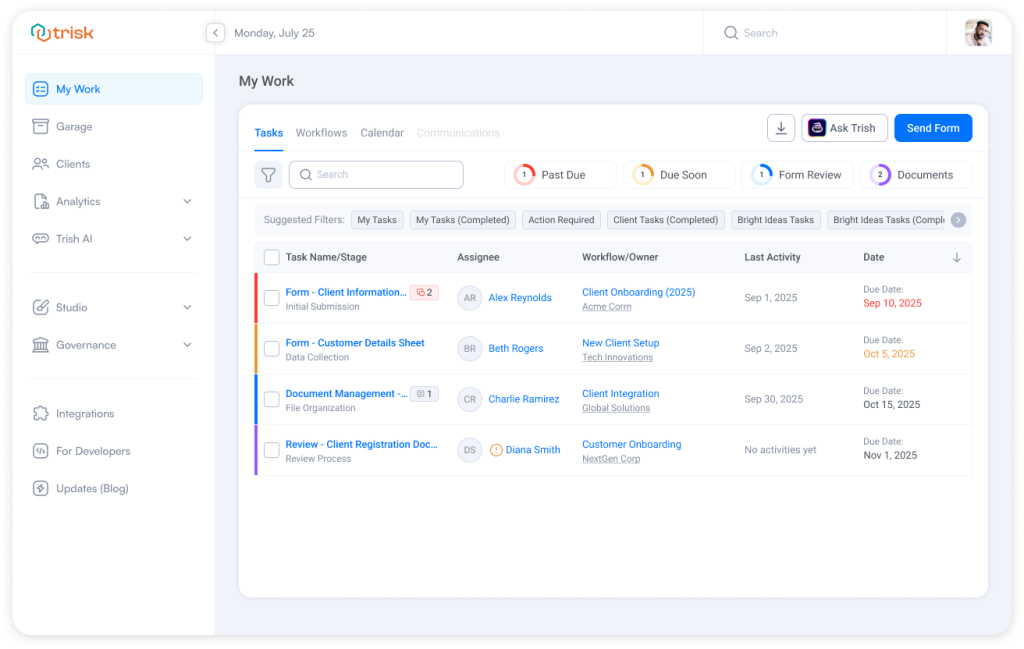
Everything feels lighter, more focused, and easier to scan.
Actions Where You Need Them
Proceed with actions right from the task row.
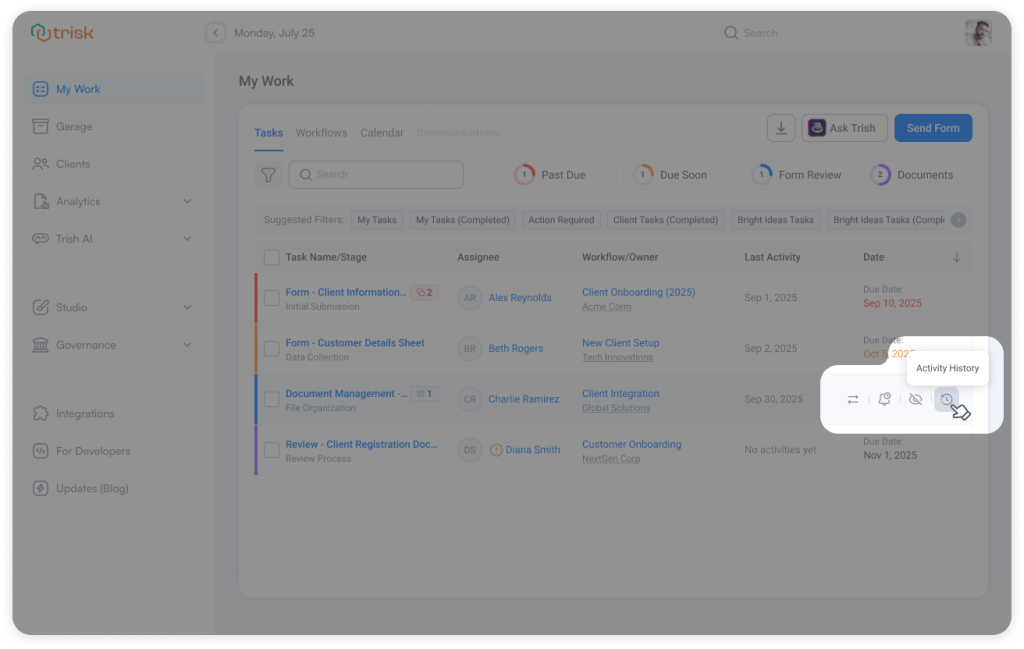
Hover over any task to:
- Reassign it
- Send a reminder
- Open its full Activity History
- Temporarily hide tasks until a chosen date to keep your screen clean while staying on track
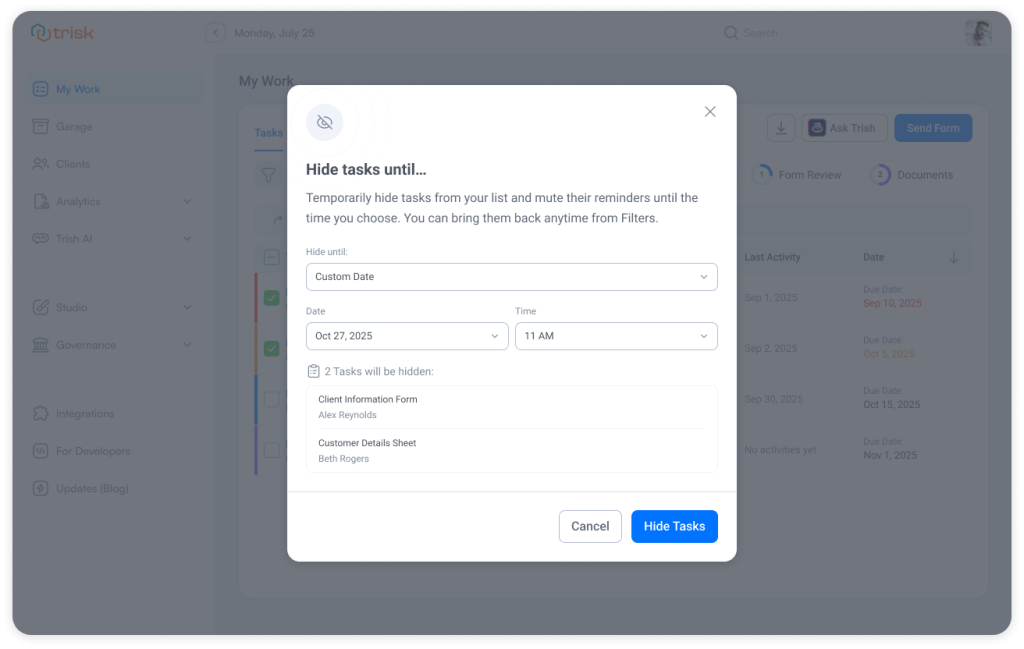 And with the new select checkboxes, Bulk actions are clearer too, making it easy to manage multiple tasks at once without losing control.
Stay Informed Without Being Overwhelmed
Communication is now part of the same screen, not a separate destination.
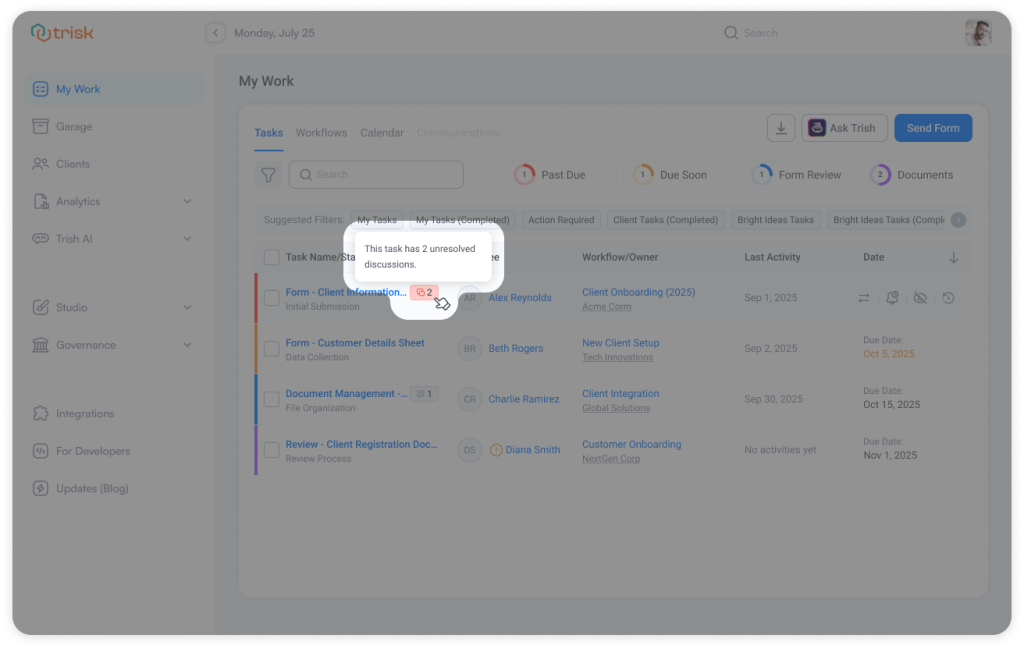
- Discussions show unresolved questions clearly
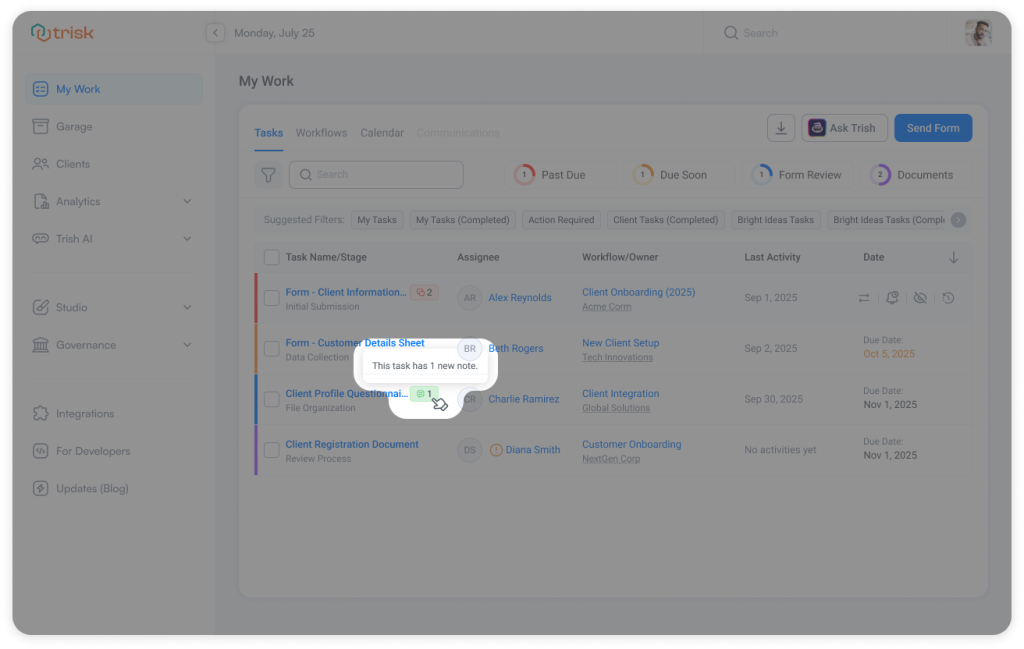
- Notes stay visible, so nothing important gets missed
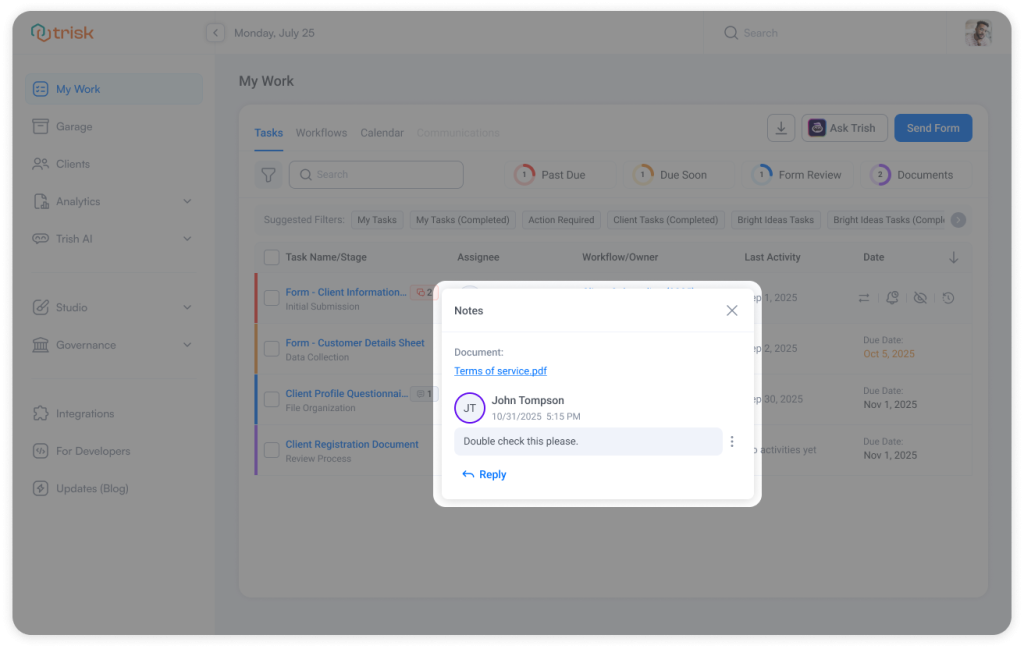
- The co-working tasks are shown at the top of the list
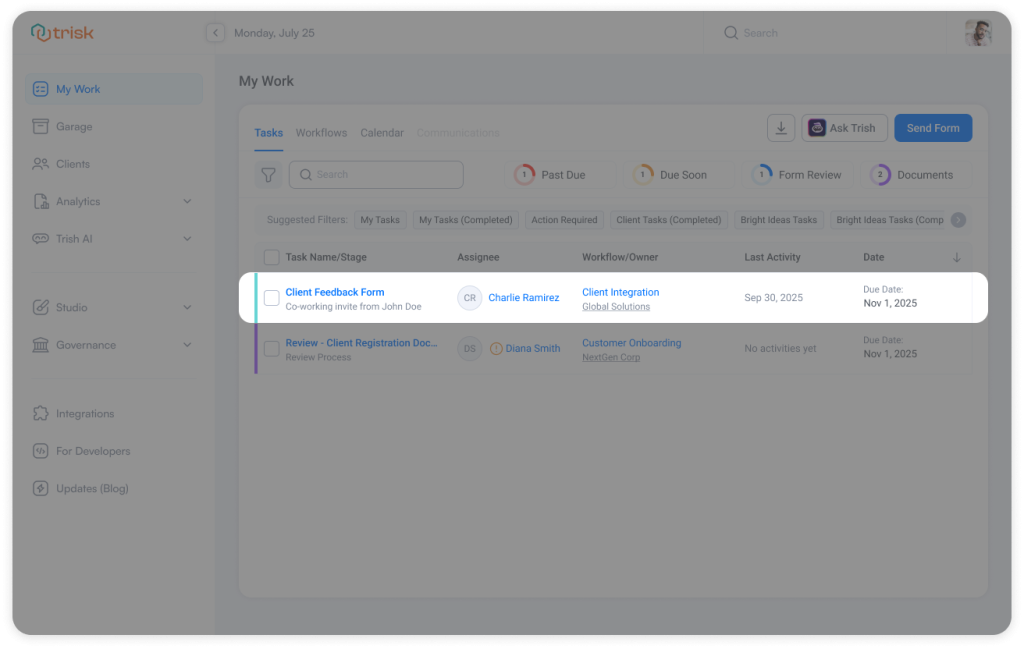 You always know what’s happening — and what needs you next.
Smart Filters That Match How You Work
My Work also supports Suggested Filters that adapt to what’s on your screen:
- My Tasks
- My Action Required
- Client Tasks
- Completed Tasks
- and more
Ask Trish, Right When You Need Help
Ask Trish AI is an essential part of your daily workspace.
You can open it directly from My Work, right where questions actually come up.
No context switching. No searching for help.
Why This Matters
This update is about making everyday work simpler and calmer.
My Work helps you:
- Focus on what matters today
- Act faster with confidence
- Keep work moving without friction
It’s the same Trisk you know.
Just clearer, more focused, and built around how you actually work.
A Clearer, Faster Way to Manage All Your Clients
Meet the redesigned “Clients” menu—one clean, focused page built for clarity, speed, and effortless client management.
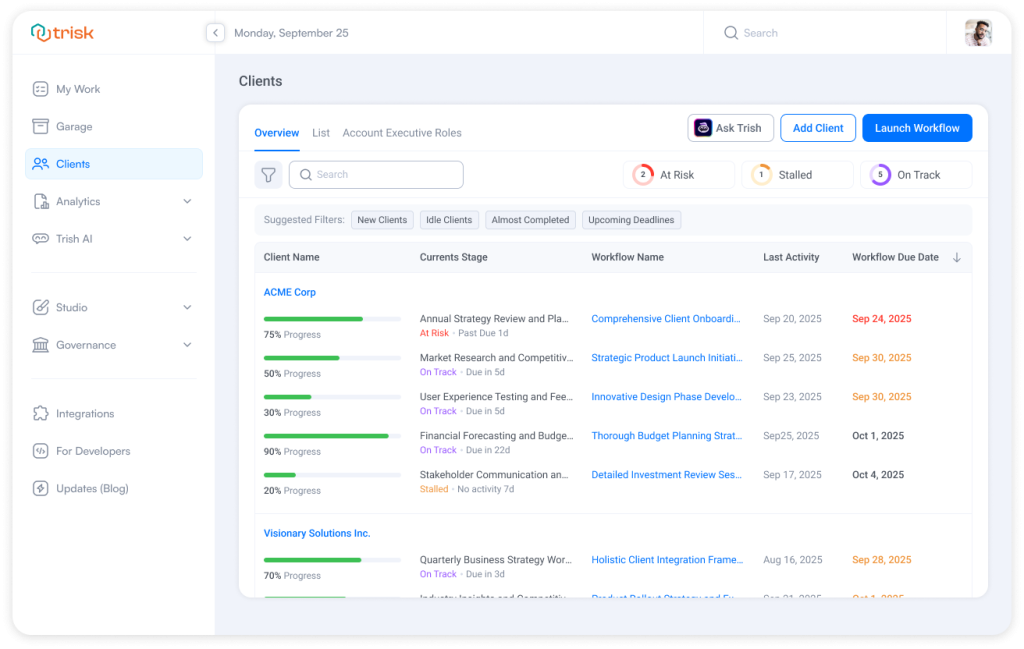 What’s New
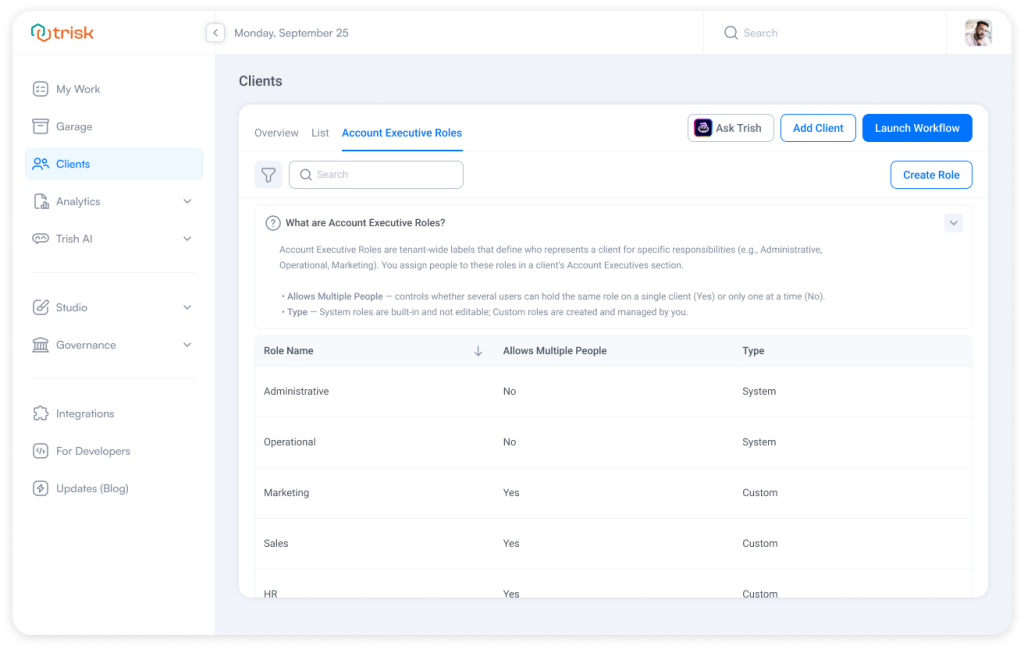
The Clients menu is now organized into three clear tabs, each designed for a specific purpose:
Overview – Get a quick snapshot of client progress, risks, and upcoming deadlines.
List – Manage all clients in one unified table with powerful filtering and quick actions.
Account Executive Roles – Define and manage who owns what, all in one place.
Everything client-related is organized and easy to act on.
A Unified Client List That Saves Time
Instead of switching between My Clients and All Clients, you now work from one client page.
From this single view, you can:
- See all clients at once, with clear ownership and activity indicators
- Filter clients by role, status, or visibility
- Quickly spot inactive or at-risk clients
- Search across all client attributes in seconds
Each client row also gives you instant access to key actions without opening any new pages.
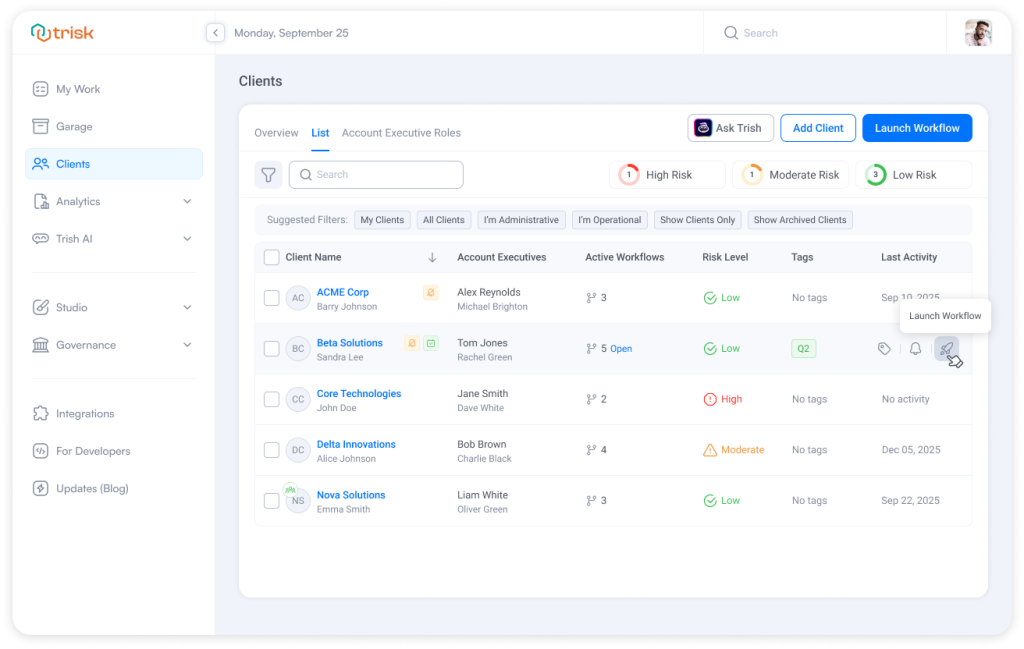
Take Action Without Leaving the List
You can now manage client actions directly from the list view:
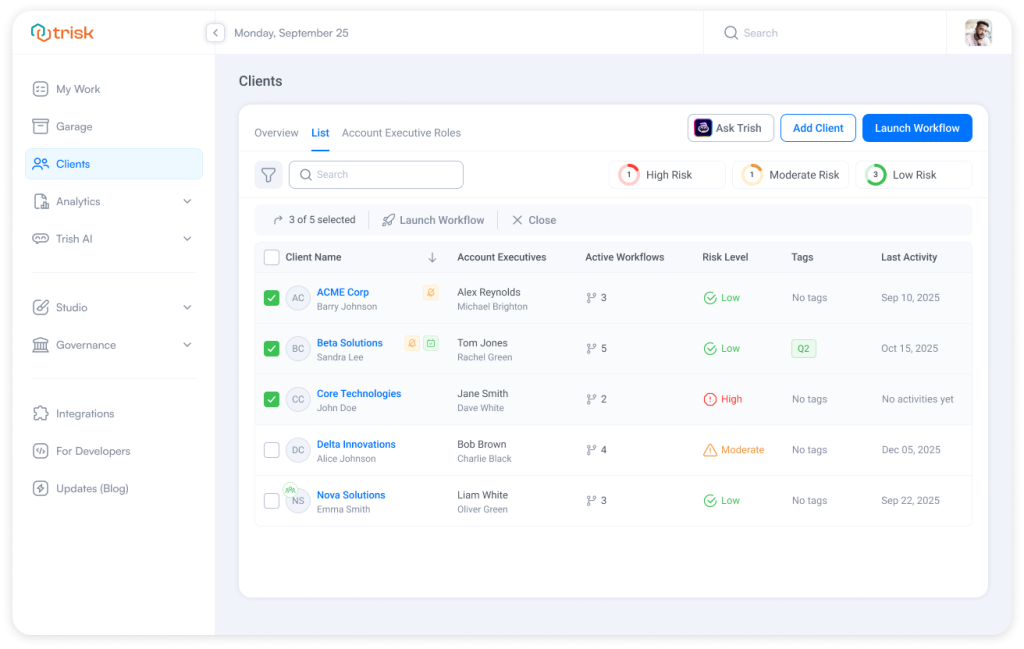
- Launch workflows for one or multiple clients at once
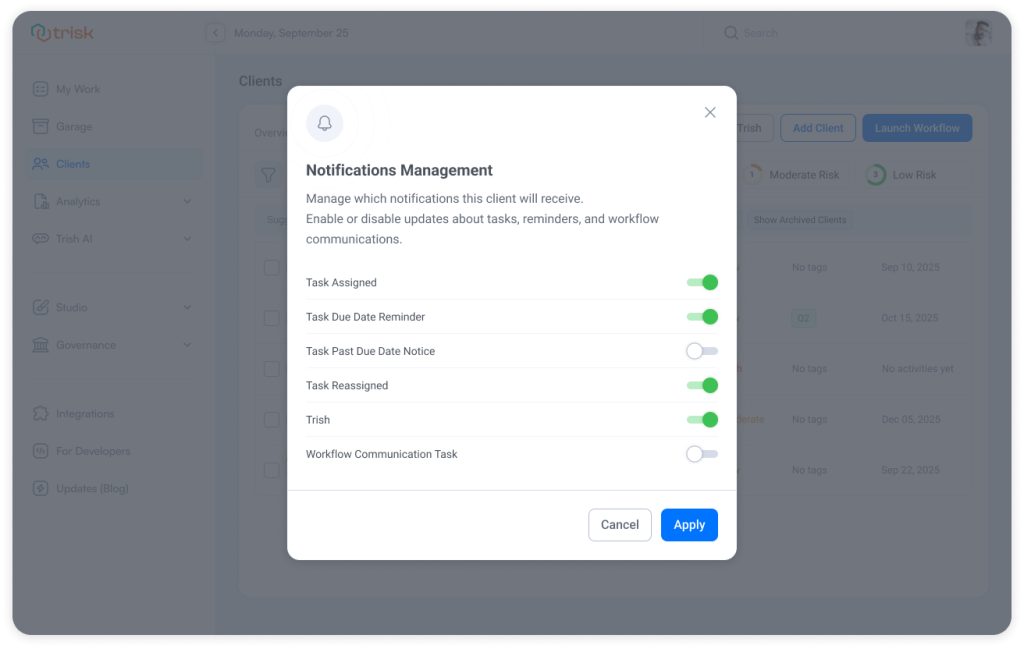
- Manage notifications to control what each client receives
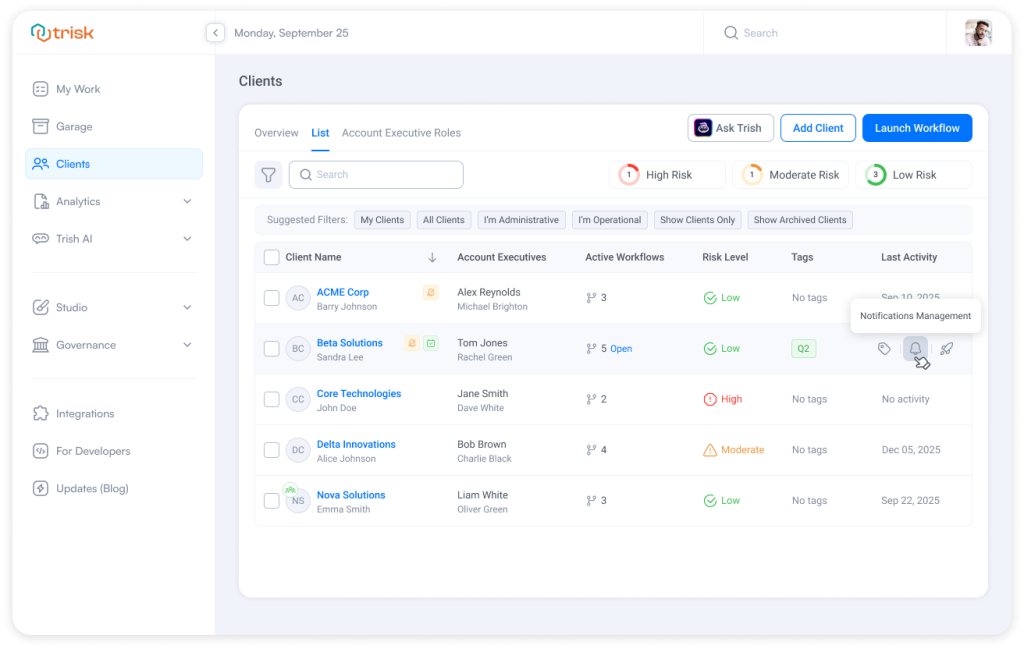
- Add tags for better organization
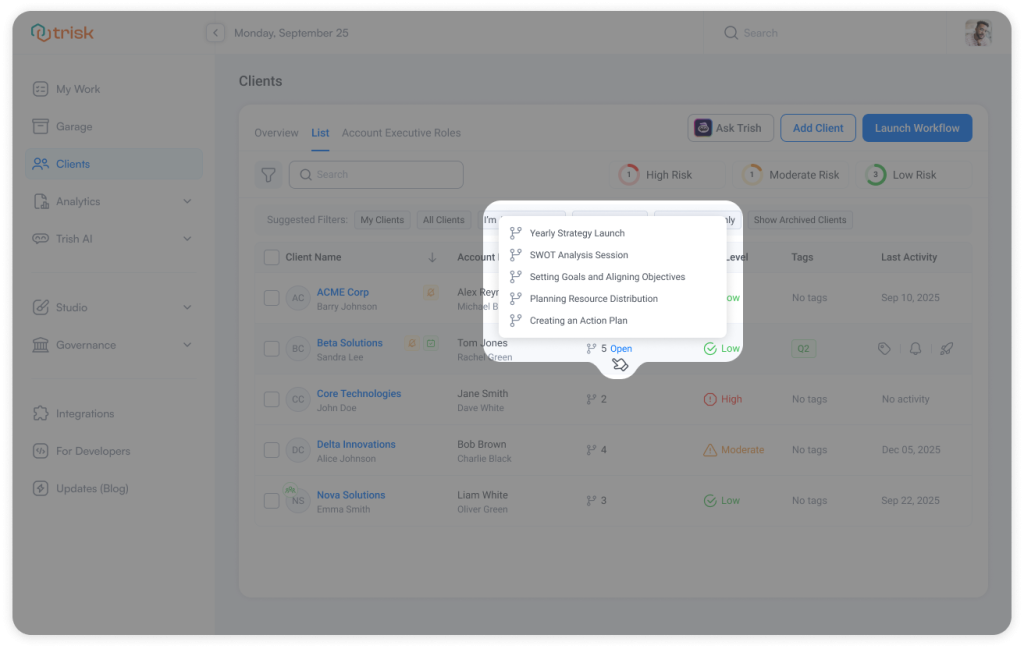
- See active workflows and jump straight into them
And, of course, our amazing Bulk actions make it easy to launch workflows for multiple clients in a single step—perfect for onboarding waves, renewals, or recurring engagements.
Clear Roles, Clear Ownership
Account Executive Roles are now a dedicated tab, making responsibility and ownership easier to understand and manage.
You can:
- View all system and custom roles in one place
- Create custom roles that match how your firm works
- Control whether multiple people can share the same role
- Keep roles protected and consistent
This update keeps client ownership clear, scalable, and easy to maintain as teams grow.
Why It Matters
Client work rarely slows down because of the work itself; more often, it slows down because of navigation, context switching, and scattered controls.
This update removes that friction.
With a single “Clients” menu:
- You spend less time searching and more time acting
- Client status and ownership are always clear
- Bulk actions become even simpler
- Your team stays aligned as client volume grows
Experience way to manage clients built for real, day-to-day work.
Curious to see perfect automation in Your Context?
👉 Book a short walkthrough
👉 See how Trisk solutions map into your busiest workflows
👉 Compare your current cycle times with what automation can unlock
No hype.
No generic pitch.
Just a clearer look at how 2026 could feel less chaotic and more strategic.
Explore even more cutting-edge features that will add significant value to your Trisk experience:
- Your CRM Now Built into Trisk – tag and filter clients by status or category, and automate tagging based on form responses.
- What 2025 Revealed About Automation, AI, and How Modern Firms Actually Operate
- AI that Think Like Your Team – Input your company’s policies, guidelines, and key processes once—Trish AI will use that knowledge to deliver smarter, more accurate results across forms, workflows, reviews, email triage, and other AI-driven tasks.