
This Document Management update makes document reviews faster and easier by adding built-in PDF outline navigation and direct Excel support inside Trisk. Jump to important sections in large agreements, open multi-sheet spreadsheets directly in the workflow, and keep reviews centralized without leaving the platform.
Document Management: Jump Through Long PDFs with Built-In Outlines
Long contracts, policies, and agreements are easier to review when you can move by section, not only page by page.
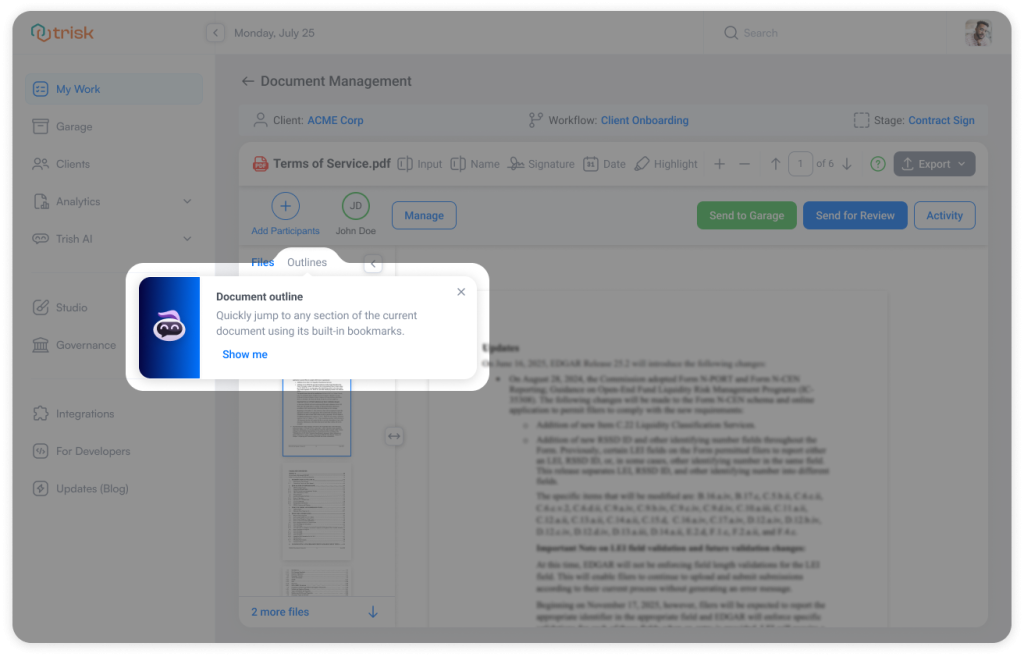
With this update, Document Management now shows a PDF’s built-in outline when the file includes bookmarks, letting you jump directly to the section you need.
What’s New
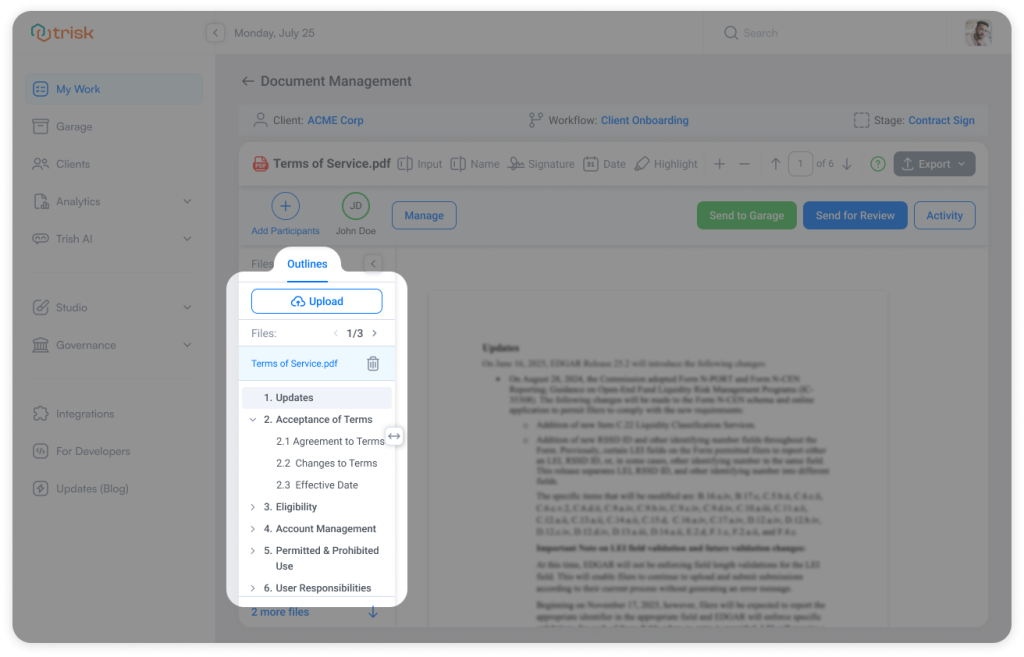
PDF documents with built-in bookmarks now display an Outlines panel in Document Management.
Now you can:
- View document sections in a structured list
- Expand or collapse nested sections
- Click any section to jump directly to it
If a PDF does not include bookmarks, the outline panel stays hidden.
How It Works
Open a PDF in Document Management.
If the document includes an outline, you’ll see a new Outlines tab next to Files.
From there:
- Browse the document’s section list
- Expand deeper sections when available
- Click a section name to move directly to that part of the PDF
No manual scrolling through dozens of pages.
Business Impact
Review Long Documents Faster
Jump directly to key sections like Payment Terms, Signatures, Scope, or Renewal clauses.
Reduce Review Friction
Spend less time scrolling and more time reviewing the right content.
Improve Document Clarity
Use the structure already built into the PDF to understand how the document is organized.
Use Cases
- Outlines are especially useful during document preparation for signing workflows. Large agreements can easily exceed 100+ pages, making it time-consuming to locate signature areas, approval sections, or specific clauses that require markup.
With Outlines, teams can jump directly to the relevant sections and prepare documents for signing much faster. - To review a big service agreement, your team needs to check the Payment Terms, Liability, and Signature sections.
Instead of scrolling page by page or guessing from thumbnails, you can open Outlines and jump directly to each section in one click.
Curious to see perfect automation in Your Context?
👉 Book a short walkthrough
👉 See how Trisk solutions map into your busiest workflows
👉 Compare your current cycle times with what automation can unlock
No hype.
No generic pitch.
Just a clearer look at how 2026 could feel less chaotic and more strategic.
Document Management: Review Excel Files Directly Inside Trisk
Financial reports, pricing sheets, and operational spreadsheets no longer need to be downloaded just to review them.
With this update, Document Management now supports Excel files in view-only mode—allowing teams to open, review, and navigate spreadsheets directly inside Trisk.
What’s New
Document Management now supports Excel files.
You can now:
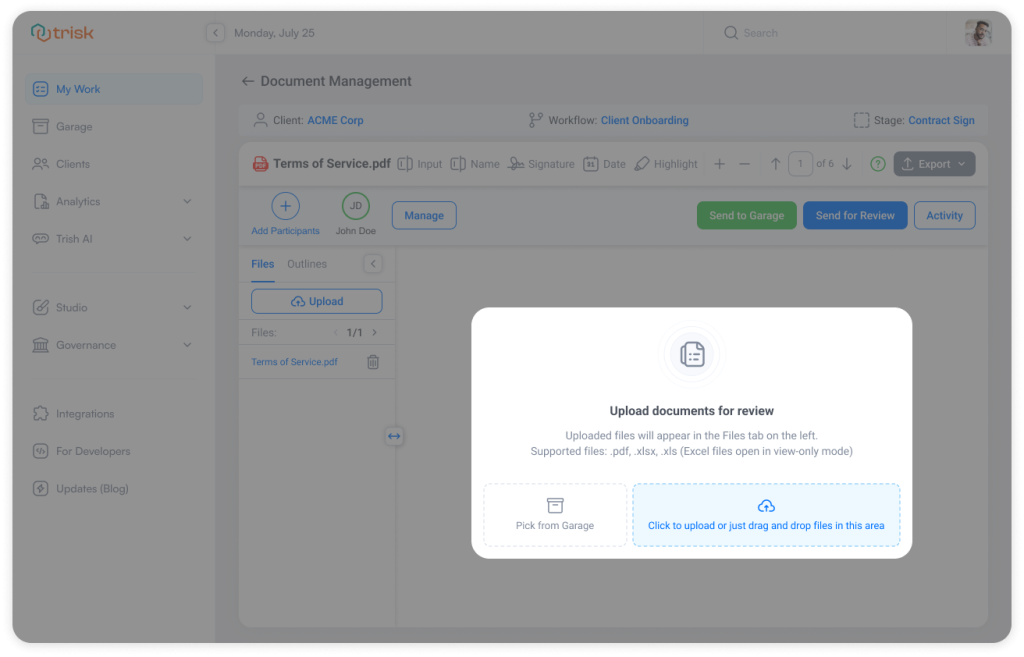
- Upload .xlsx and .xls files directly into Document Management
- Open spreadsheets inside the built-in viewer
- Review spreadsheets (view-only mode)
- Switch between multiple sheet tabs
- Scroll through large or wide spreadsheets without breaking the layout
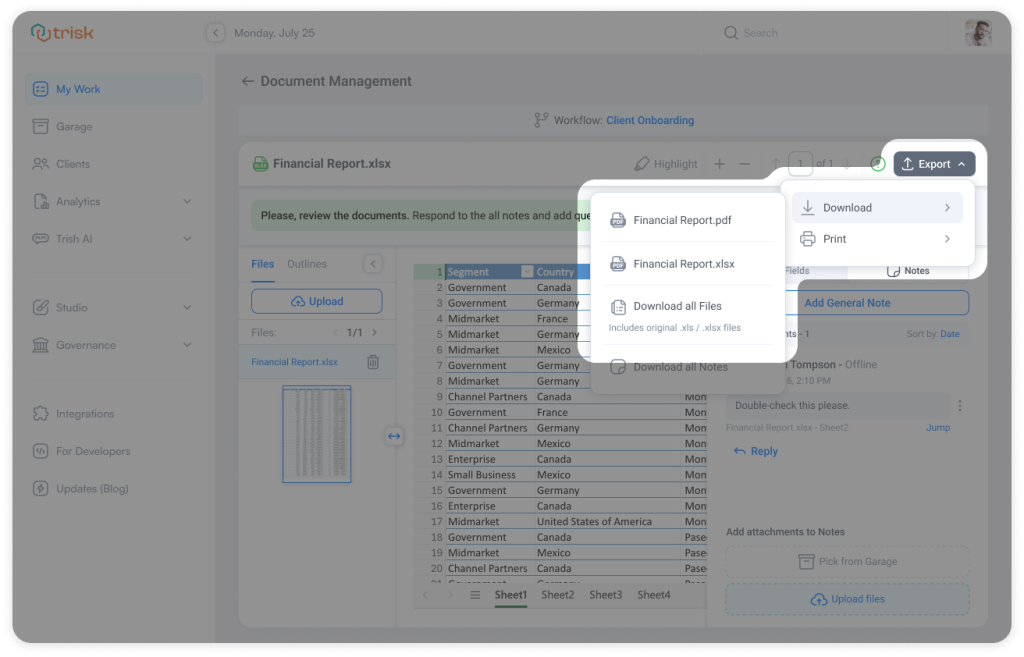
Existing document discussions, review flows, and export functionality continue to work as expected.
How It Works
Upload an Excel file into Document Management just like a PDF.
Once opened:
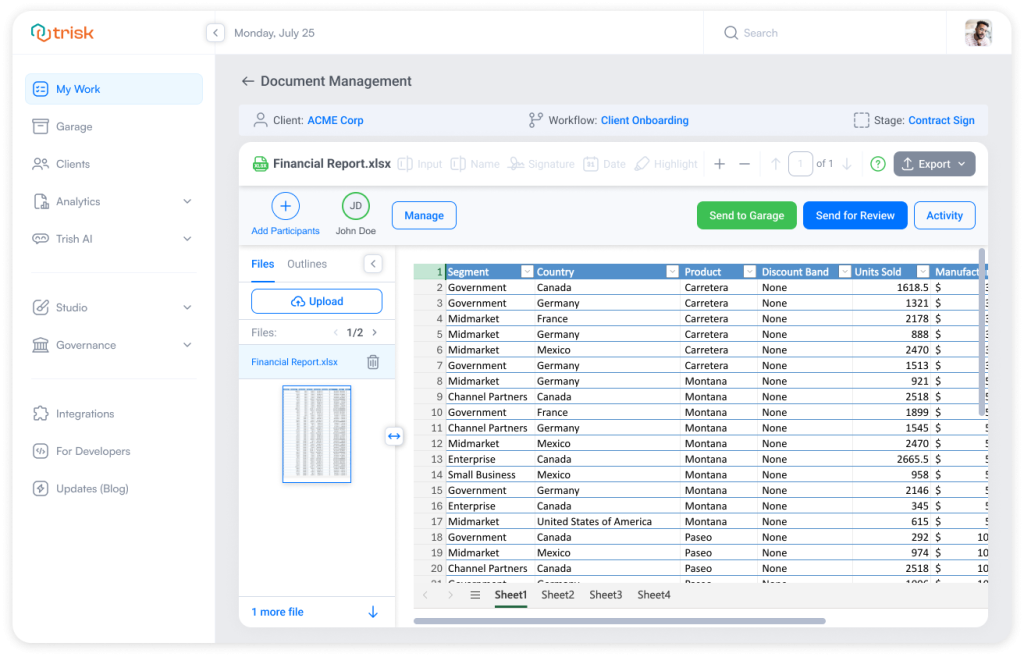
- Spreadsheet rows and columns render directly in the viewer
- Multiple sheets appear as tabs at the bottom of the document
- Users can switch between sheets instantly
- Wide spreadsheets support horizontal scrolling for easier review
The file remains protected in view-only mode, ensuring spreadsheet structure and formulas cannot be edited during review.
Business Impact
Keep Reviews Centralized
Review spreadsheets inside the same workflow instead of downloading files locally.
Reduce Context Switching
Move between PDFs, Excel files, comments, and approvals without leaving Document Management.
Improve Financial & Operational Reviews
Support real-world business processes where spreadsheets are often the primary working document.
Handle Large Spreadsheets More Easily
Landscape layouts, large datasets, and multi-sheet workbooks remain readable directly in the viewer.
Use Case
- A tax team delivers finalized tax returns in PDF format together with supporting Excel workpapers and calculation sheets.
Previously, supporting spreadsheets often had to be shared separately or attached through comments, making the final review process fragmented and harder to navigate.Now, reviewers and clients can open both the finalized PDF package and supporting Excel files directly inside Document Management—keeping the full deliverable centralized in one structured review experience.
- An accounting team uploads a multi-sheet financial workbook for client review.
Instead of downloading the file and reviewing it in Excel locally, reviewers can:
- Open the spreadsheet directly in Trisk
- Navigate between tabs like Revenue, Expenses, and Forecasting
- Leave feedback within the same review workflow
- Keep all review activity centralized and trackable
Explore even more cutting-edge features that will add significant value to your Trisk experience:
- Tasks Due Escalation – stay ahead of delays across the entire workspace — without manually checking tasks.
- AI that Think Like Your Team – Input your company’s policies, guidelines, and key processes once, and get smarter, more accurate results across forms, workflows, reviews, email triage, and other AI-driven tasks.
- Your CRM Now Built into Trisk – tag and filter clients by status or category, and automate tagging based on form responses.