
Garage now supports custom folders, giving you more flexibility in how you organize files across clients, departments, projects, and internal work.
As file libraries grow, keeping everything organized becomes increasingly important. While Garage already provides centralized storage for users, clients, and workflows, folder organization has historically been driven by system-generated structures.
With this update, you can create your own folders inside Garage, making organization more personalized.
Extend the Existing Garage Structure
This update adds another layer of flexibility by allowing teams to create their own folder structures while still having the benefits of the existing Garage organization.
You can now structure information in a way that matches your own processes.
How It Works
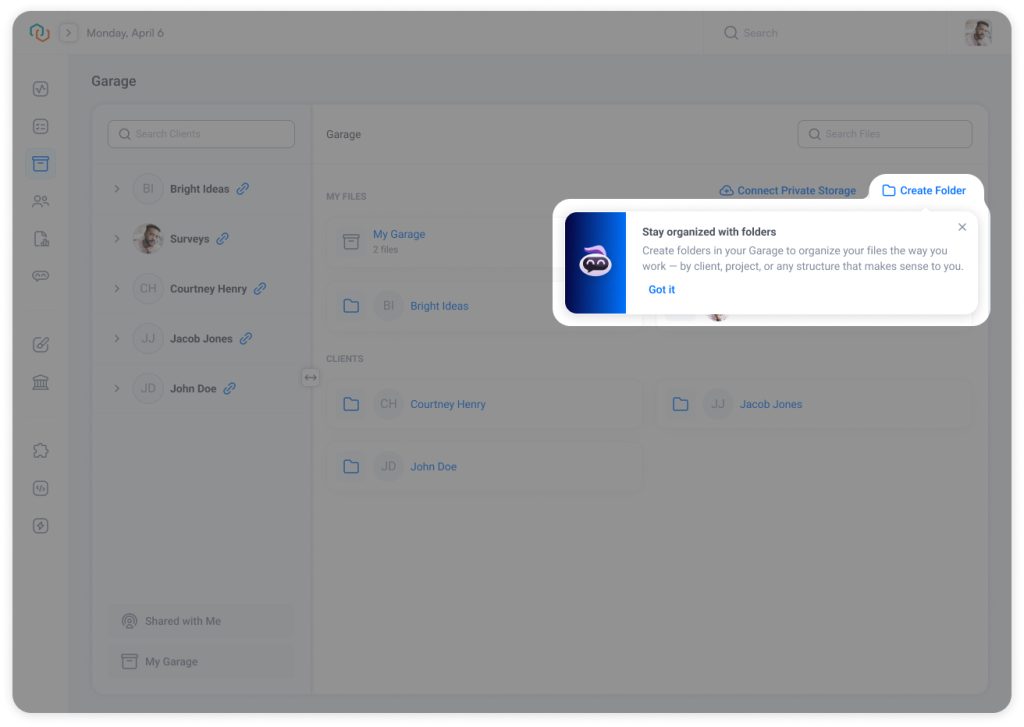
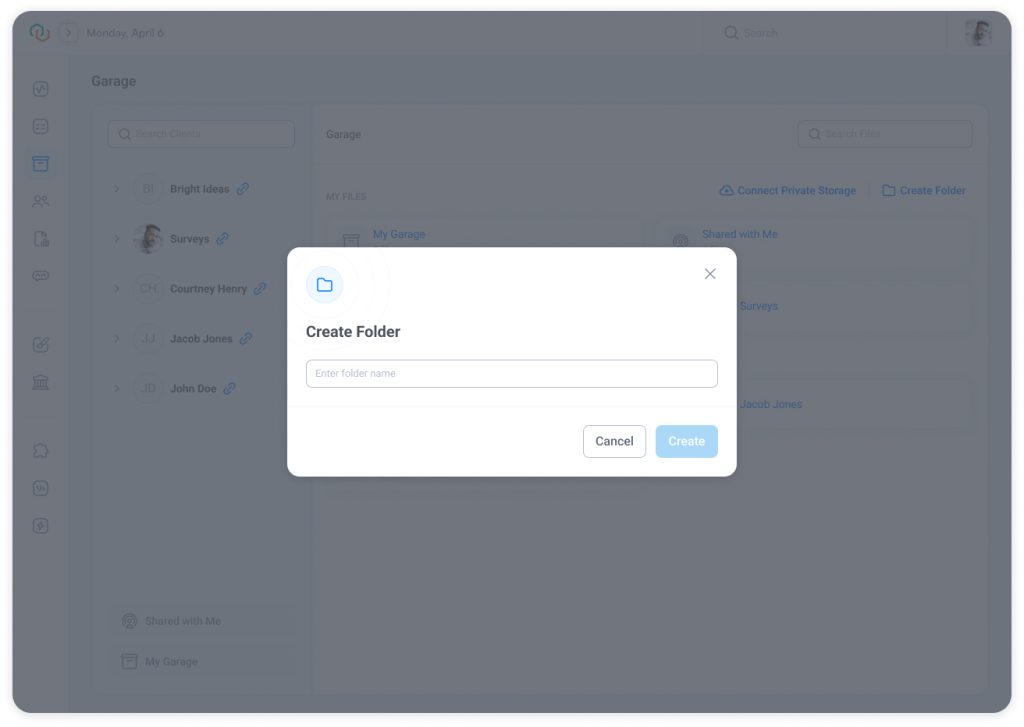
Select Create Folder, enter a folder name, and the folder is immediately available for use.
You can:
- Create folders
- Rename folders
- Delete folders
- Build nested (Multi-Level) folder structures
Note: Folder names can contain up to 255 characters.
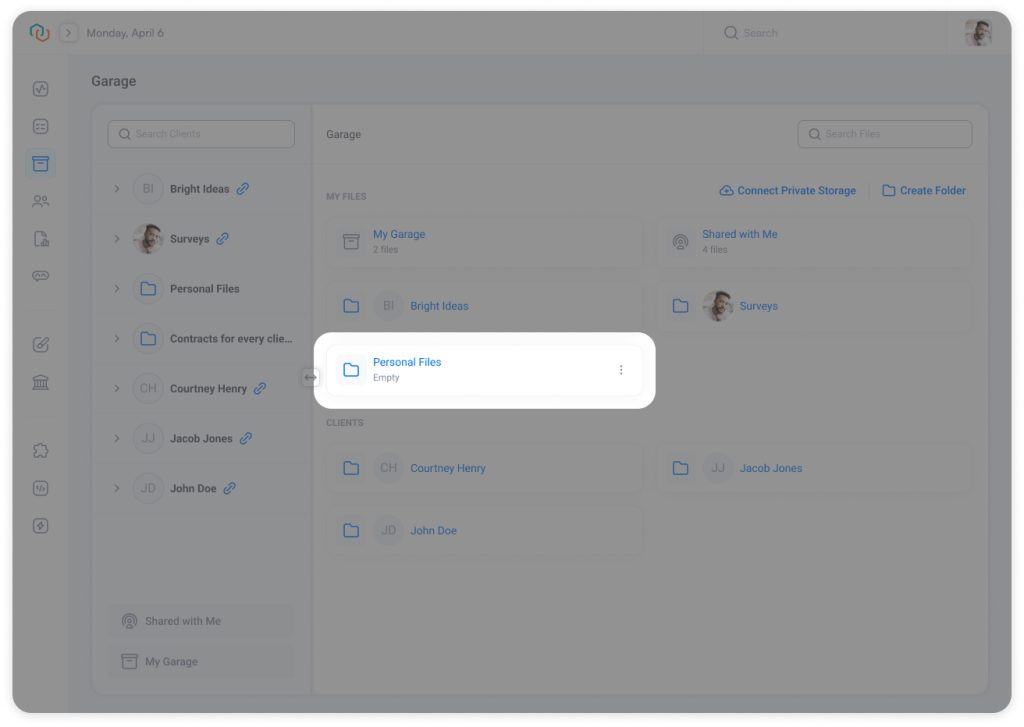
Build Multi-Level Folder Structures
Folders can contain additional folders, enabling structures that remain organized even as document volumes increase.
This allows you to group related information while keeping navigation simple and predictable.
Work with Folders Across Garage
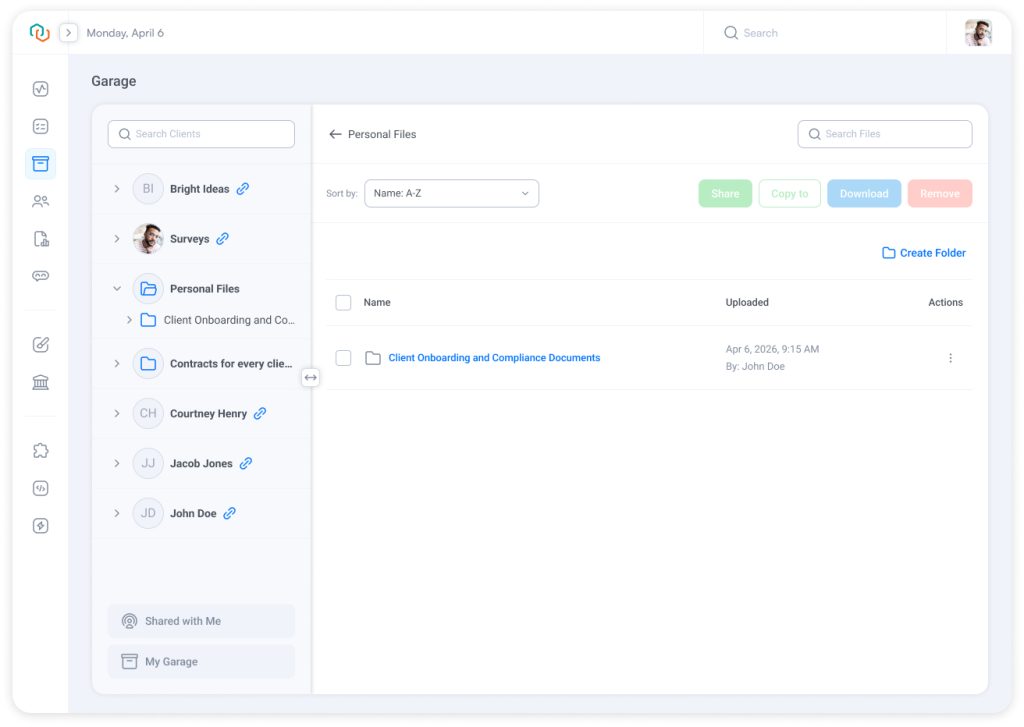
Folders appear throughout Garage just like other content.
You can view folders:
- In the left navigation panel
- In the main content area
Folders and files follow the same sorting rules, ensuring a consistent browsing experience.
Folder counts display the number of files contained directly within a folder, helping users quickly understand what is stored inside.
Business Impact
Organize Information Your Way
Extend the existing Garage structure with folders that reflect how your team actually works.
Keep Growing File Libraries Manageable
Add additional layers of organization as document libraries expand.
Reduce Time Spent Searching
Group related information together so files are easier to locate.
Support Different Teams and Departments
Allow departments, service lines, and project teams to organize information according to their own processes.
Improve Governance and Control
Folder permissions are managed independently from file permissions, providing greater control over how information is maintained.
Curious to see perfect automation in Your Context?
👉 Book a short walkthrough
👉 See how Trisk solutions map into your busiest workflows
👉 Compare your current cycle times with what automation can unlock
No hype.
No generic pitch.
Just a clearer look at how 2026 could feel less chaotic and more strategic.
Expanded Folder Permissions
To support folder management, Garage permissions have been expanded.
Organizations can now control:
- Create and rename folders
- Delete folders
- Upload and rename files
- Delete files
Folder permissions are managed separately from file permissions, providing more granular control over how Garage is used.
Existing Garage visibility rules remain unchanged. Users continue to see folders based on their access to the associated Garage location.
Use Case
An accounting firm manages tax preparation, bookkeeping, payroll, and advisory services through separate workflows.
While workflow-generated folders automatically organize documents tied to specific engagements, teams often maintain additional materials that need their own structure, such as:
- Supporting Documents
- IRS Correspondence
- Internal Research
- Etc
With custom folders, the firm can create and maintain these categories directly within the Client Garage, keeping supporting information organized alongside workflow-related documents.
As a result, staff can quickly locate reference materials, supporting schedules, and historical documents while maintaining theTrisk’s existing workflow-based organization.
Explore even more cutting-edge features that will add significant value to your Trisk experience:
- PDF Outline Navigation – Jump directly to sections inside long contracts and policies using built-in PDF bookmarks. Faster reviews. Less scrolling. Clearer document structure.
- AI Insights in Forms – turn that data into decisions.
- Your CRM Now Built into Trisk – tag and filter clients by status or category, and automate tagging based on form responses.