
Manage users faster and recognize them instantly with one-click profile access and smarter avatars that auto-display client logos. It’s a cleaner, more intuitive way to navigate teams—especially when handling multiple clients.
In this update:
– Open Profiles Instantly + Avatar Updates
– Smart Avatars with Company Logos
User Profiles: Open Profiles Instantly + Avatars Update
Managing users just got faster—open profiles in one click and update avatars without extra steps.
What’s New
User Profiles are now easier to access and manage:
- User names are now clickable across team lists
- Profiles open instantly—no need to go through “Edit”
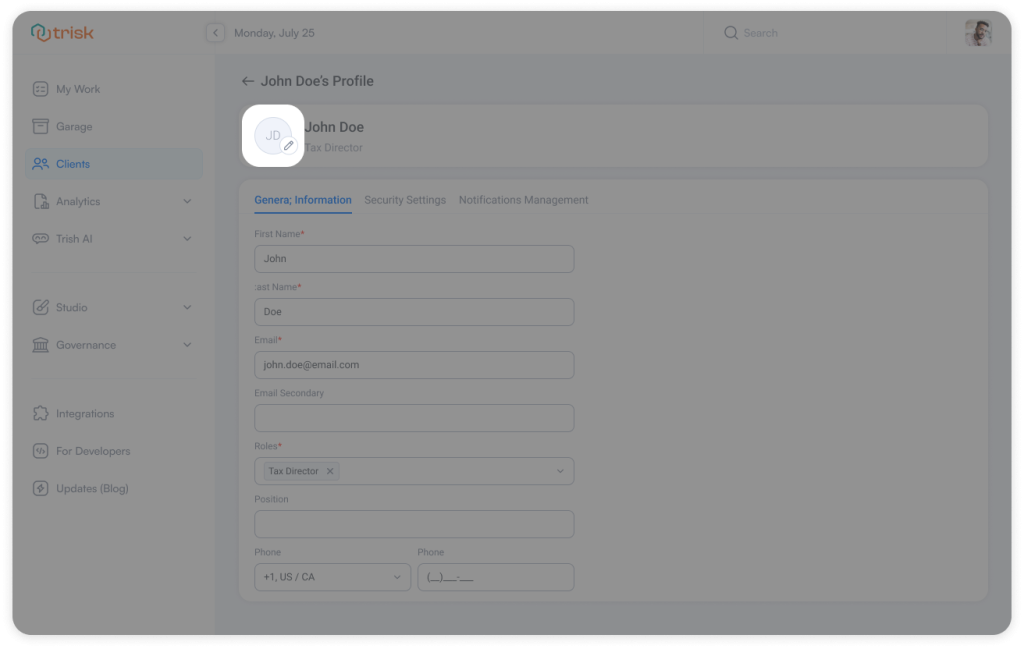
- Tenant users can update avatars directly from the User Profile
How It Works
From any team list (Tenant, Client, or Members):
- Click a user’s name → opens their User Profile
- Update avatar directly within the profile
- Changes are saved and reflected across the platform
Business Impact
Faster User Management
Access profiles instantly without going through edit flows.
Better Visibility Across the Platform
Updated avatars reflect everywhere—improving recognition and clarity.
Curious to see perfect automation in Your Context?
👉 Book a short walkthrough
👉 See how Trisk solutions map into your busiest workflows
👉 Compare your current cycle times with what automation can unlock
No hype.
No generic pitch.
Just a clearer look at how 2026 could feel less chaotic and more strategic.
User Avatars: Automatically Show Client Logos When No Photo Is Set
No photo? No problem. Users are now easier to recognize at a glance, even when they don’t upload their photo.
What’s New
User avatars are now more meaningful and easier to recognize:
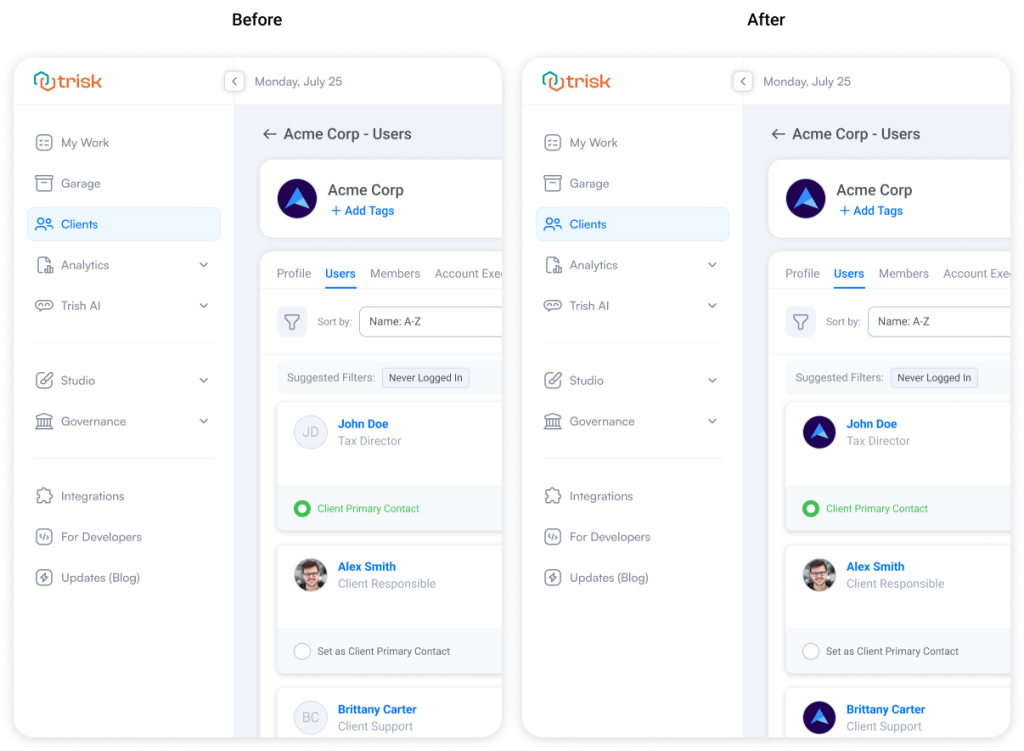
- If a user doesn’t have a personal avatar, the logo of the company (client) they belong to is used automatically
- Lists become more visual and easier to scan
- Users without profile pictures are shown as plain initials only as a last fallback
How It Works
Avatar display follows a simple logic:
- User photo → shown if the user uploaded one
- Company (client) logo → shown if no user photo exists
- Initials → shown only if neither is available
 Business Impact
Faster Recognition
Identify users instantly without reading names.
Cleaner, More Visual Lists
Reduce reliance on text-based placeholders.
Better Context Awareness
Avatars reflect the client context—especially useful when working across multiple clients.
Explore even more cutting-edge features that will add significant value to your Trisk experience:
- Table Controls – Lock Data to Prevent Unwanted Changes
- Unified Feedback System for Form Review – Comments, Notes, and Discussions are now combined into one structured Feedback system.
- User Groups – Save Hours on Multi-User Assignments and Processes